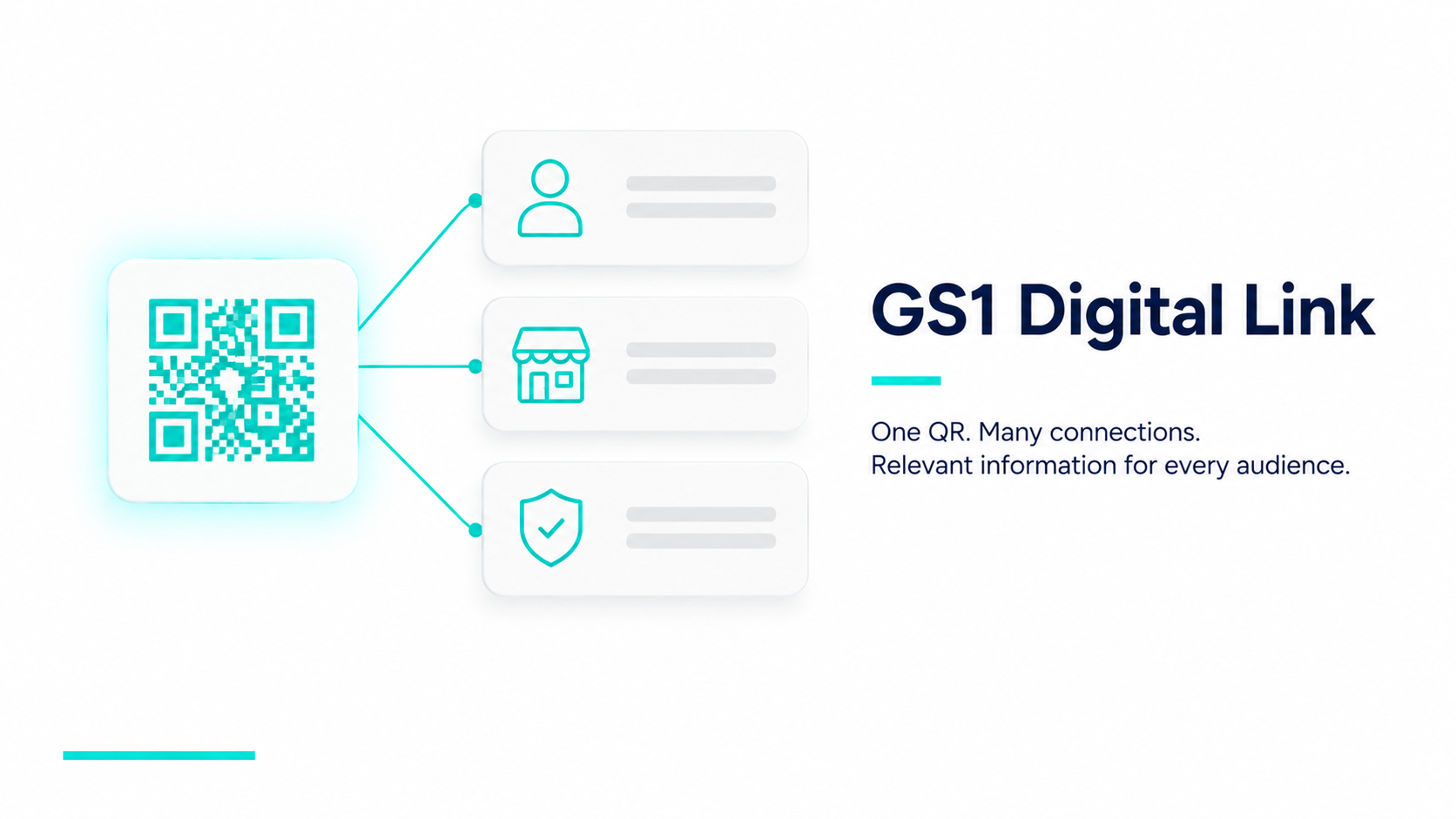
GS1 Digital Link is a global standard that turns a product’s existing barcode or QR code into a structured web link, so a single scan can connect to multiple types of information — including a Digital Product Passport. It’s built on top of GS1’s existing product numbering system (the GTIN already printed on most barcodes), which is why the EU references GS1 standards specifically when talking about ESPR-ready data carriers: it doesn’t ask brands to adopt something new, it asks them to make what they already have machine-readable in a richer way.
How Is GS1 Digital Link Different From a Regular QR Code?
A regular QR code is usually just a static link to one page — scan it, land on that page, that’s the entire interaction. A GS1 Digital Link QR code encodes a structured URL that includes the product’s GTIN and, optionally, attributes like batch, serial number, or expiry. Because the link is structured rather than arbitrary, the same code can be resolved differently depending on who’s scanning and why — a consumer might land on a product story, a retailer’s system might pull inventory data, and a recycler might get end-of-life instructions, all from one physical code. That multi-stakeholder model is what StableDPP solutions are built around.
Why Does ESPR Favor GS1 Digital Link for Digital Product Passports?
Interoperability is the core reason. If every brand built its own proprietary QR format, retailers, recyclers, and customs authorities would each need to support dozens of incompatible systems to read passport data across a supply chain. GS1 Digital Link is already a widely adopted global standard across retail, which means a passport built on it can be read by systems that have never seen that specific brand before. The EU’s preference for open, interoperable data carriers over proprietary ones is a recurring theme across ESPR guidance, and GS1 Digital Link is the clearest existing standard that fits.
How Does a GS1 Digital Link QR Code Connect to a Product’s Passport?
Structurally, a GS1 Digital Link URL combines a domain, the product’s GTIN, and optional qualifiers like batch or serial number — a link format that reads roughly as domain.com/01/[GTIN]/21/[serial]. When the code is scanned, a resolver service reads that structured path and routes the request to the correct destination. StableDPP uses GS1 Digital Link as the resolution layer for every passport it issues: the platform generates the compliant Digital Link URL at the point the passport is created, and the resolver routes each scan to that specific product’s passport page — not a generic brand landing page, and not a manually maintained URL list.
That distinction matters at scale. A brand with 400 SKUs across three seasons is managing over a thousand unique product identities; hand-mapping each one to a destination is the part manufacturers most consistently underestimate, and the part a compliant platform is expected to absorb.
Is GS1 Digital Link Mandatory Under ESPR?
Not by name. What ESPR requires is that the data carrier comply with international standards and use open, interoperable formats without vendor lock-in — the outcome, not one specific vendor’s implementation of it. In practice, GS1 Digital Link is the standard that already satisfies that requirement and is recognised as a valid identifier pattern, which makes it the safe default rather than a legal obligation. Choosing it means a brand is not betting on a proprietary format surviving the delegated acts.
What Do Brands Need to Generate GS1 Digital Link-Compliant QR Codes?
Three things: a GS1 company prefix (which is what makes your GTINs valid and unique), a resolver capable of routing structured Digital Link URLs, and a platform that generates the codes in the correct format automatically rather than requiring manual construction per product. The first comes from your national GS1 member organisation. The second and third should come from your DPP platform — if they don’t, you are building and maintaining resolver infrastructure in-house, which is a standing engineering commitment rather than a one-time setup. For the full workflow, see how to create a Digital Product Passport.